
Catch failed WooCommerce webhooks and e-mails, see exactly what broke, and replay them safely once the receiver is fixed.
Webhook Rescue watches the deliveries your store sends to other systems: WooCommerce webhooks to your warehouse, ERP, CRM, Zapier or Make, and the e-mails WordPress sends to customers. When one fails, Webhook Rescue saves it, tells you what broke, alerts you, and lets you send it again once the receiver is fixed.
Out of the box, WooCommerce disables a webhook after 5 failed deliveries in a row. It does not retry and it does not tell you beyond a status change on a settings screen. Webhook Rescue keeps the webhook switched on, keeps its own failure count, and alerts you instead.
| Plan | Sites | Adds |
|---|---|---|
| Free | Any | Protection against WooCommerce’s 5-strike deactivation, failure log with payload inspector, e-mail alerts and recovery notices, failed e-mail capture and resend, one-click webhook re-enable, health dashboard widget, single replay (stored or rebuilt payload), failure classification, duplicate guard, encryption and privacy tools |
| Pro | 1 | Automatic retries with backoff, bulk replay, payload editing before replay, endpoint circuit-breaker, Slack, Discord, Telegram and custom-webhook alerts, daily digest |
| Business | 5 | Everything in Pro, plus lead rescue for Gravity Forms, WPForms and Fluent Forms, Action Scheduler failure monitoring, custom destinations, CSV export and WP-CLI |
| Agency | Unlimited | Everything in Business, plus the monthly “Rescued orders and leads” report, white-label branding, the multisite network dashboard and cross-site retry presets |
Every plan, Free included, keeps failed deliveries for as many days as you choose: 30 by default, up to 365.
Requirements: WordPress 6.2 or newer, PHP 7.4 or newer, and WooCommerce 8.0 or newer for webhook monitoring. Failed e-mail capture works without WooCommerce.
For a dedicated encryption key, add this to wp-config.php before Webhook Rescue stores anything:
define( 'PERSJAY_WEBHOOK_RESCUE_KEY', 'a long random string' );Without it, Webhook Rescue derives its key from AUTH_KEY.
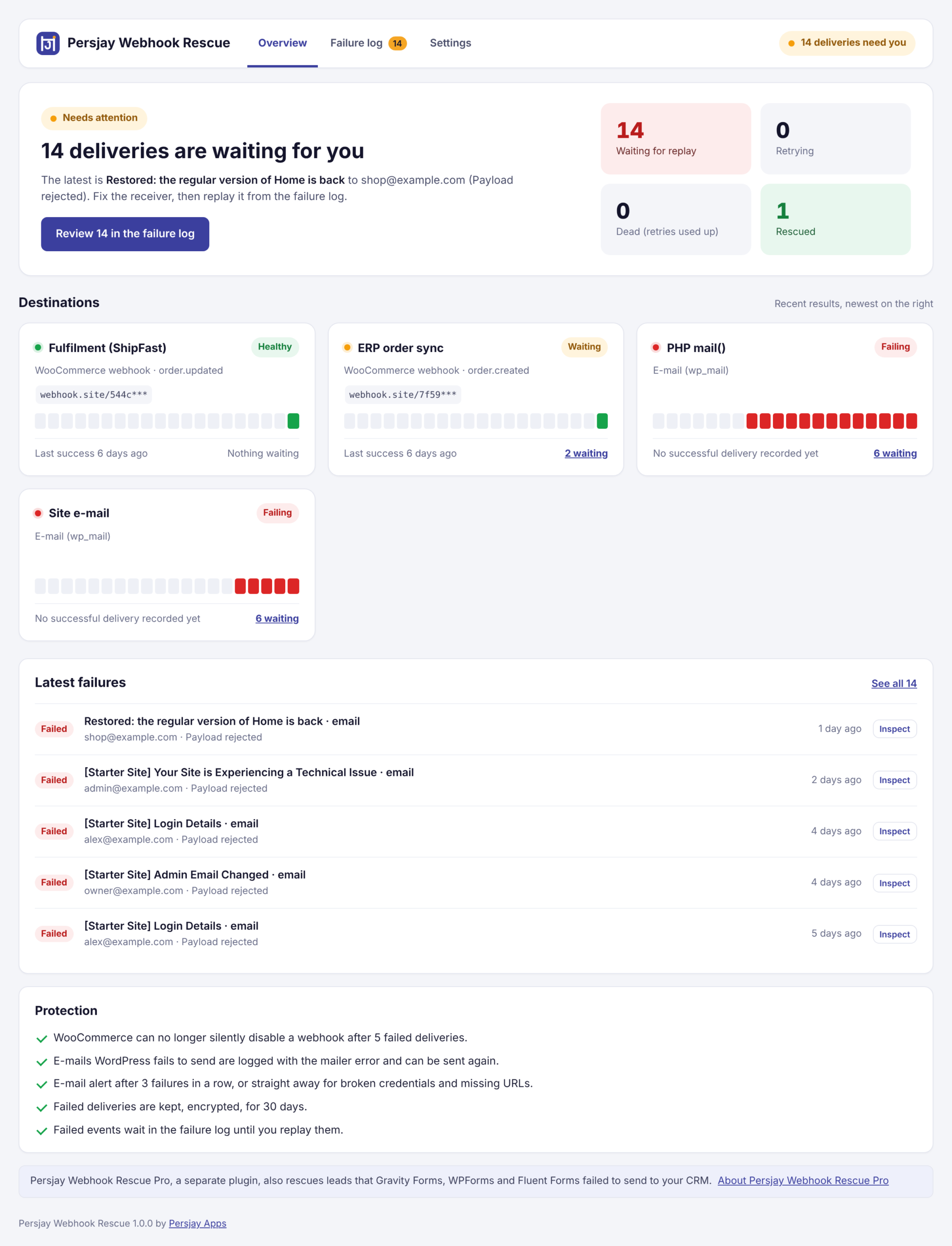
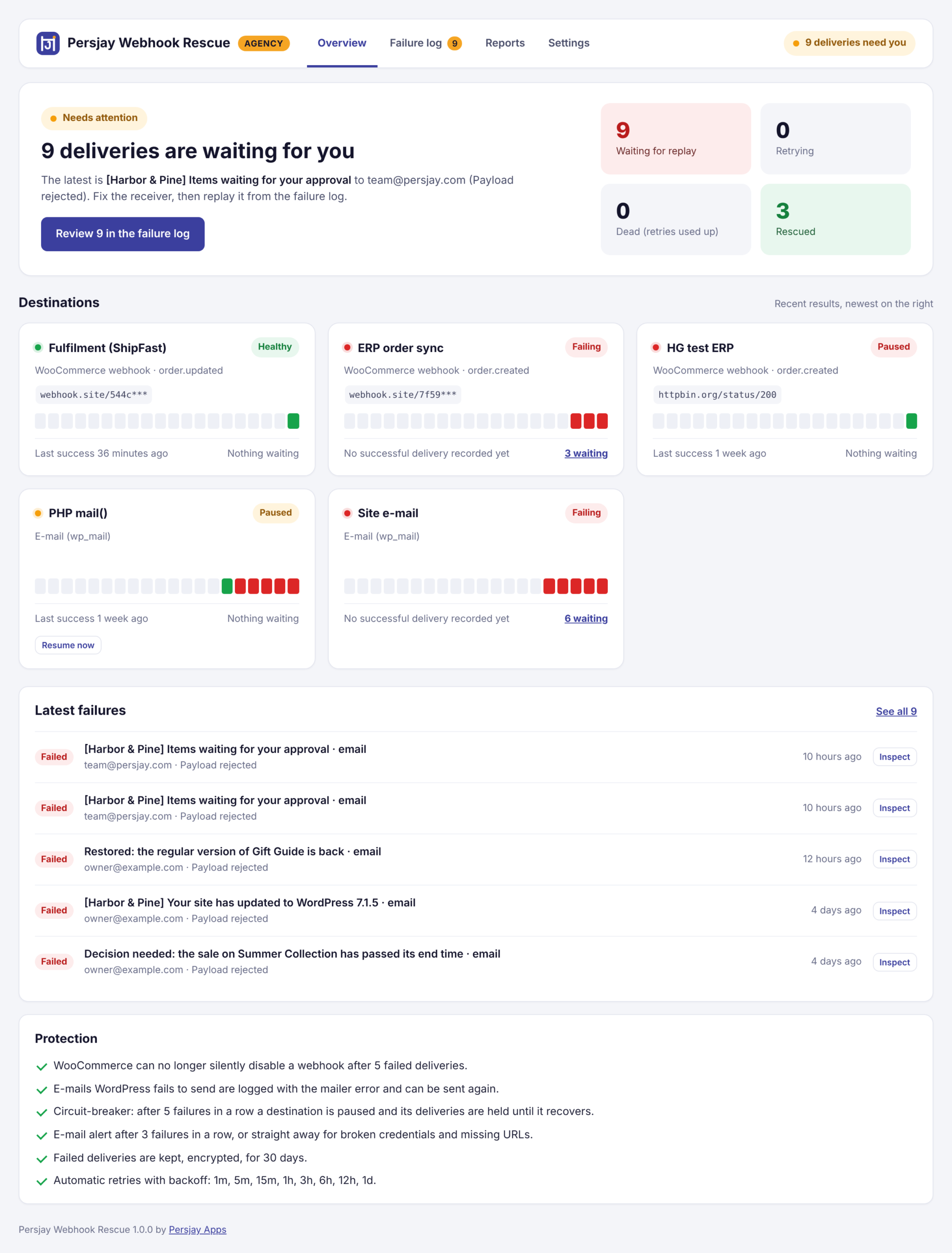
PERSJAY_WEBHOOK_RESCUE_KEY or AUTH_KEY later means payloads stored before the change can no longer be decrypted. Set the key once, before Webhook Rescue stores anything.The Overview tab lists every WooCommerce webhook and e-mail destination with its protection status, last successful delivery, last failure, failures in a row and how many failed deliveries are waiting for replay. Destinations that need attention are shown first.
If WooCommerce did disable a webhook (for example while Webhook Rescue was switched off), the Overview shows it as Disabled by WooCommerce with a Re-enable webhook button. Re-enable it once the receiver is fixed, then replay what was missed.
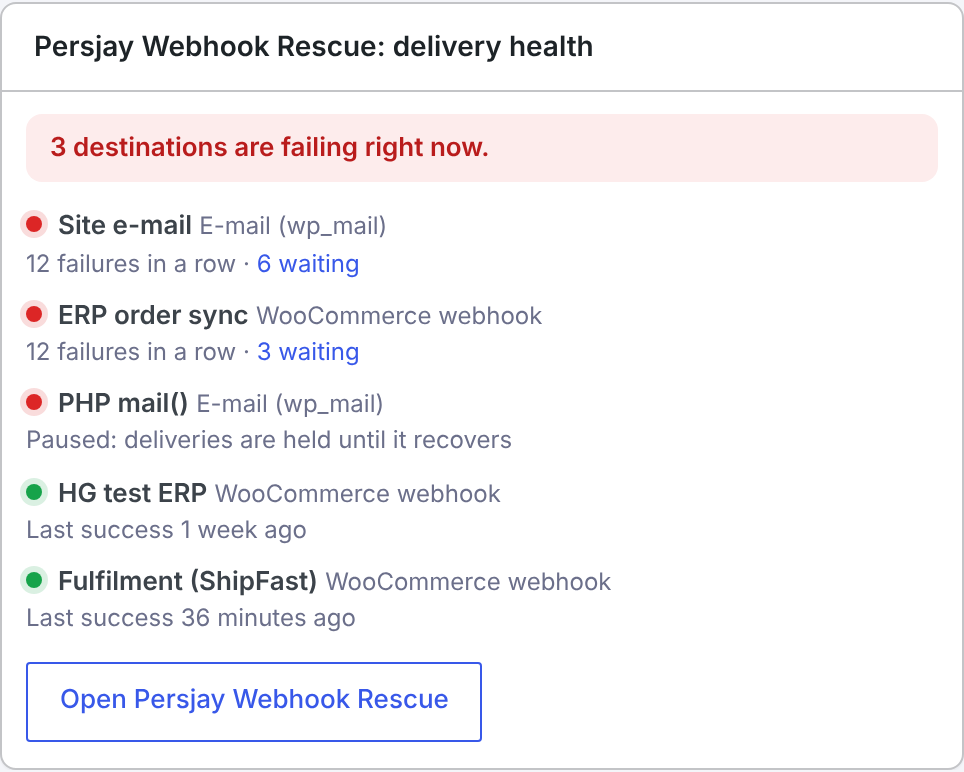
The Delivery health widget on the WordPress dashboard shows which destinations are failing right now, their failures in a row and their last success. It reads a small summary, never the log itself, so it adds no load to your dashboard.
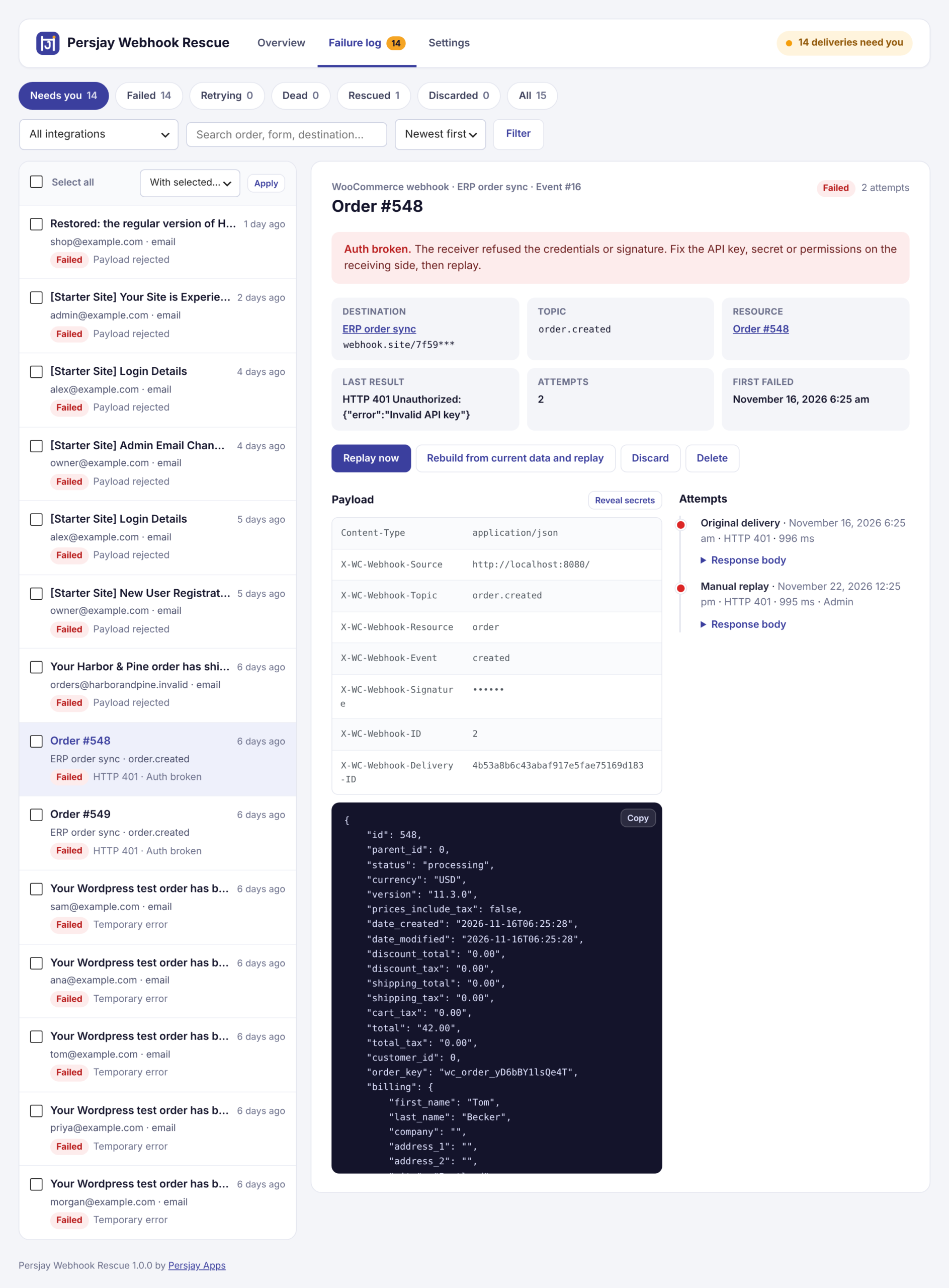
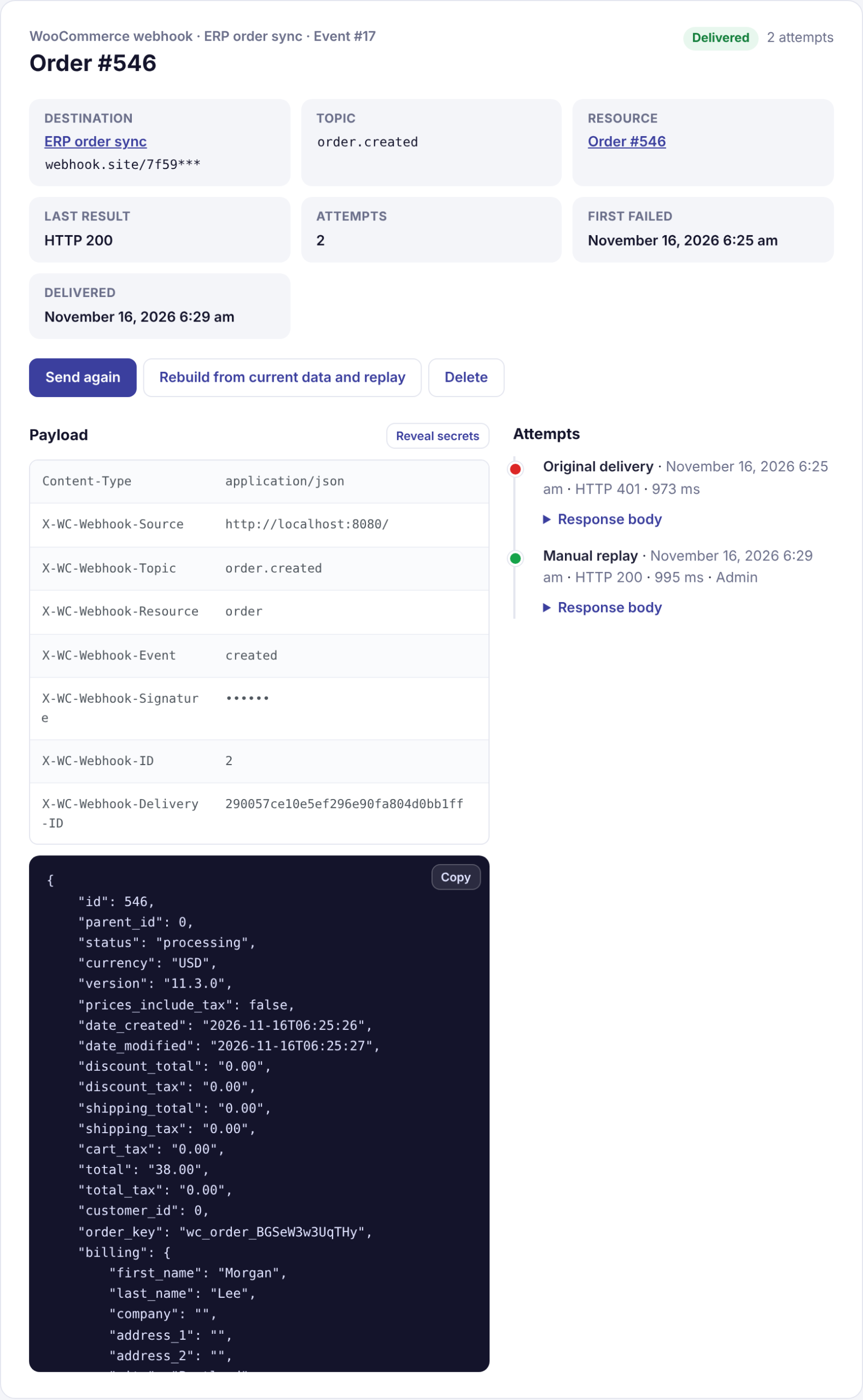
Open Webhook Rescue → Failure log to see every failed delivery with the receiver’s error and the number of attempts. Click an event to open the inspector.
Authorization headers, signatures, API keys, tokens, passwords and cookies are masked on screen. Click Reveal secrets to see them; every reveal is written to the event’s timeline. Under Settings → Privacy and data → Also hide these fields you can add more field or header names to mask.
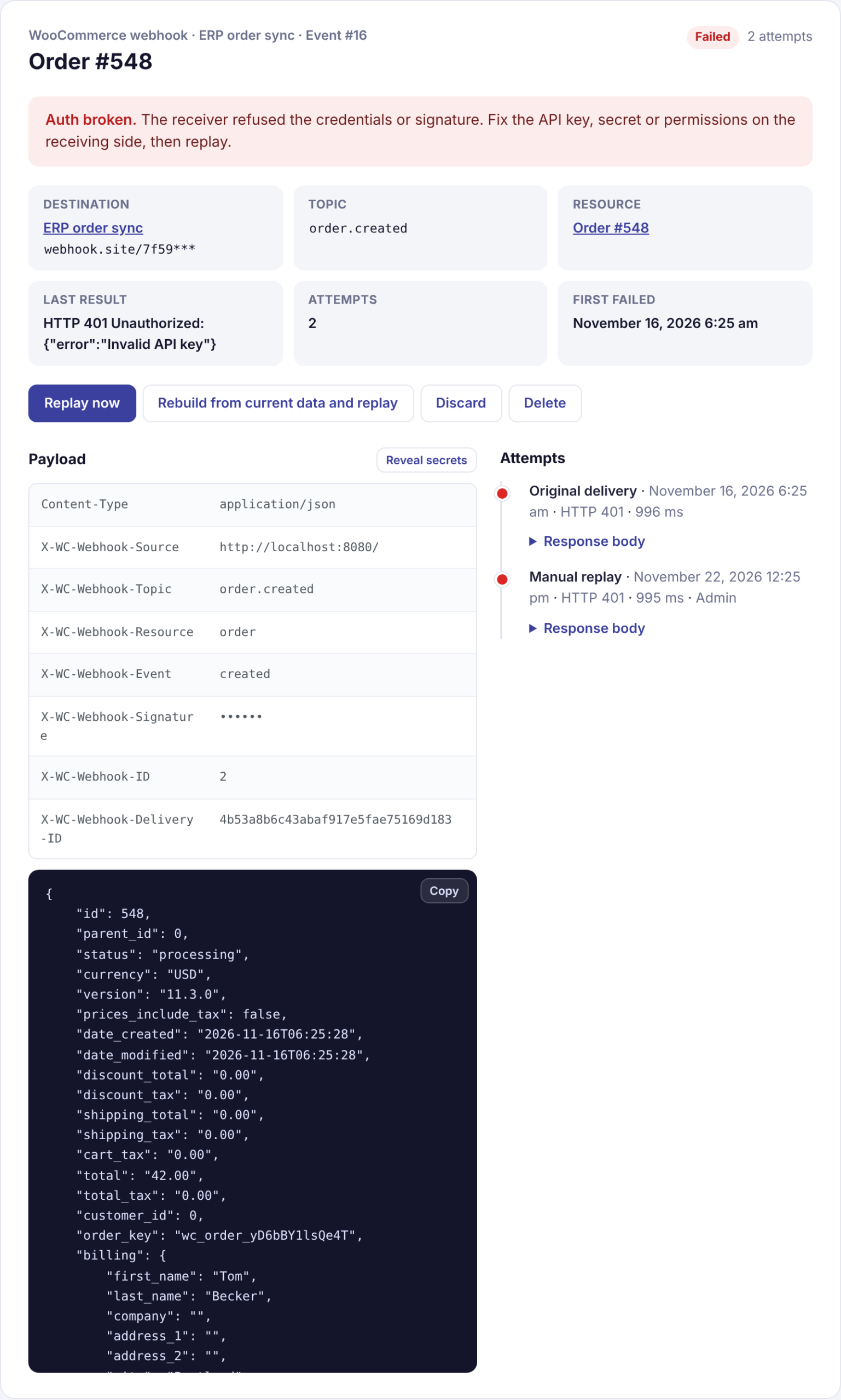
Click Replay now in the inspector to send the stored payload again, or Rebuild from current data and replay to rebuild it from the order as it is now.
Replays carry the same X-WC-Webhook-* headers WooCommerce sends, with a fresh X-WC-Webhook-Signature computed with the webhook’s current secret, a new X-WC-Webhook-Delivery-ID, and an X-Persjay-Replay header holding the event ID so your receiver can tell it is a replay if it wants to. A successful replay resets WooCommerce’s own failure counter to 0.
If a later delivery for the same order and topic succeeded, the event is flagged as a Possible duplicate. Webhook Rescue asks you to confirm before sending it, and bulk replay leaves it unticked.
Discard keeps an event in the log but never retries it. Delete removes it for good. Events are also purged automatically once they are older than the retention period you set in Settings.
E-mails WordPress could not send are logged with the exact SMTP or mailer error (wrong password, host unreachable and so on), and you can send them again from the failure log once the mailer is fixed. Recipients, subject and message are stored encrypted.
This works with the default WordPress mailer and SMTP plugins built on it (WP Mail SMTP, Post SMTP and similar), plus any mailer plugin that reports failures through WordPress’s wp_mail_failed action. Attachments are re-sent if the files still exist. You can switch e-mail logging off under Settings.
Under Webhook Rescue → Settings, Webhook Rescue e-mails you after a run of failures (default: 3 in a row), straight away when credentials break (401, 403) or the URL disappears (404, 410), and sends an “all clear” when a destination starts working again. Use Send test alert to check that alerts reach you.
X-Persjay-Signature header holds a base64 HMAC-SHA256 of the body.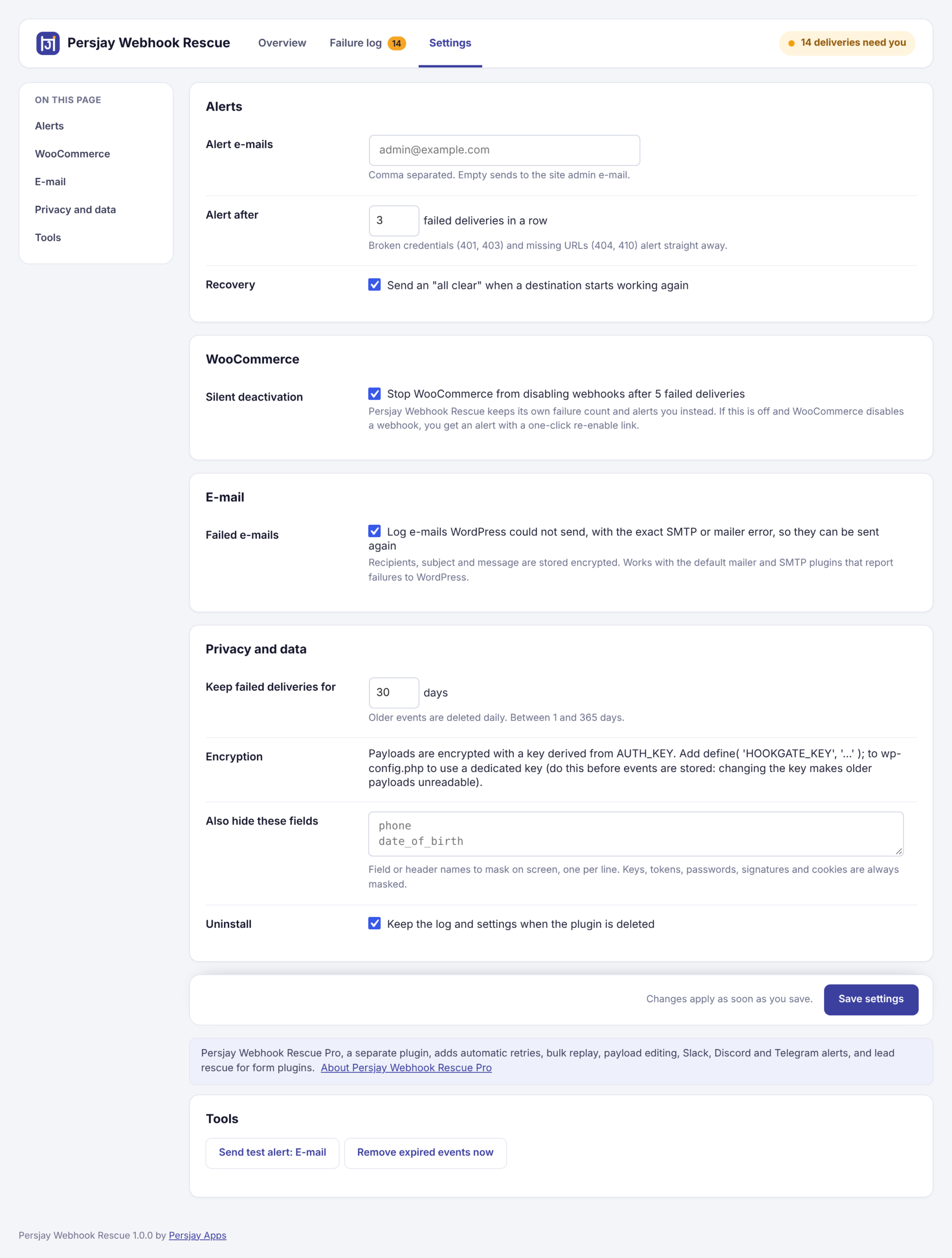
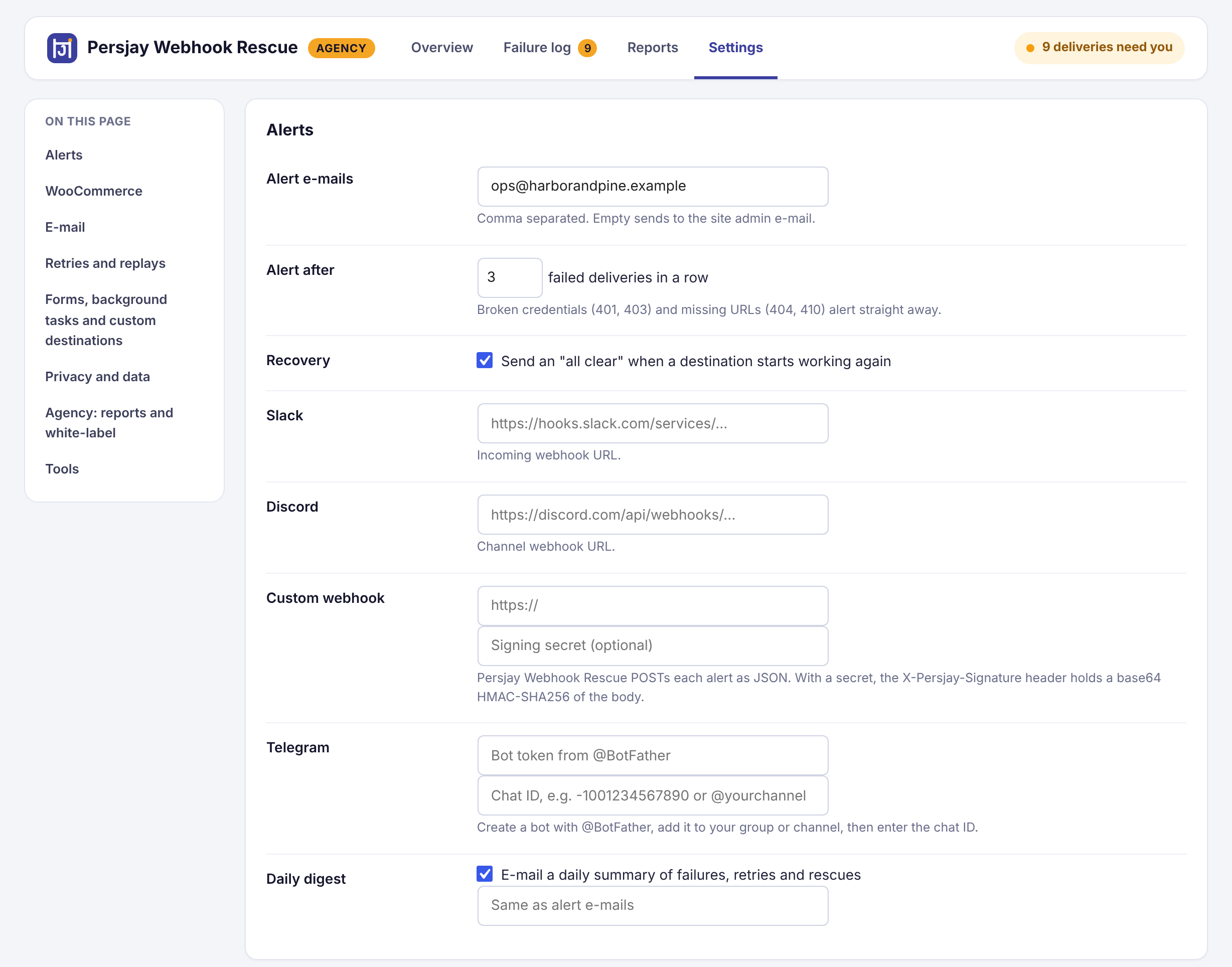
Temporary failures (timeouts, 5xx, 429) are retried automatically with exponential backoff and jitter: by default after 1 min, 5 min, 15 min, 1 h, 3 h, 6 h, 12 h and 24 h. Webhook Rescue honours a receiver’s Retry-After header. When the retries are used up, the event is marked Dead (retries used up) and you get an alert. Change the Backoff schedule under Settings with values like 1m, 5m, 1h, 1d (30 seconds to 7 days).
Select events in the failure log and choose a bulk action to replay hundreds at once, oldest first. Requests are paced (one every 2 seconds by default) so the receiver is not flooded, the run pauses automatically after repeated failures, and possible duplicates are left unticked.
Click Edit payload… in the inspector to fix a rejected payload and send the corrected version. The original payload is kept alongside it, and Webhook Rescue warns you if the edit is not valid JSON.
After repeated failures (default 5 in a row) a destination is paused: new WooCommerce deliveries and site e-mails for it are held instead of failing. Webhook Rescue tests it again after a few minutes, doubling the wait while it stays down (up to 2 hours), and once a test delivery succeeds everything that was held is sent, paced.
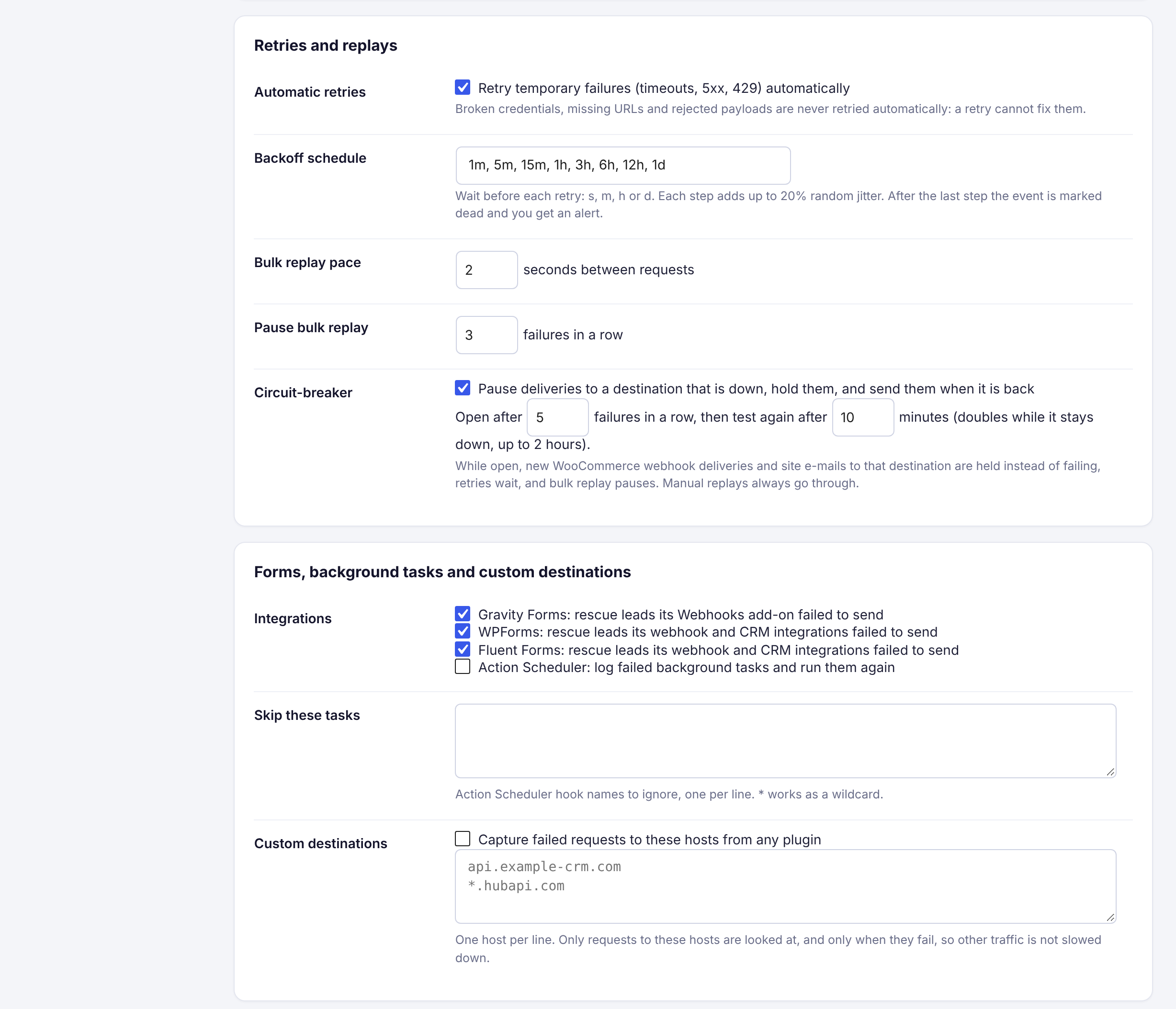
* works as a wildcard). Tasks are never re-run automatically, because a re-run can repeat side effects such as e-mails.wp webhook-rescue list
wp webhook-rescue show <id>
wp webhook-rescue replay <id>
wp webhook-rescue discard <id>
wp webhook-rescue purge
wp webhook-rescue export
wp webhook-rescue healthFailed deliveries can contain customer data from orders or forms, so Webhook Rescue treats them carefully:
By default the log and settings are removed when the plugin is deleted. Tick Keep the log and settings when the plugin is deleted under Settings if you plan to reinstall.
Webhook Rescue starts watching as soon as a WooCommerce webhook sends something. If there are no webhooks yet, create one in WooCommerce → Settings → Advanced → Webhooks.
The encryption key (PERSJAY_WEBHOOK_RESCUE_KEY or AUTH_KEY in wp-config.php) changed after the payload was saved. Restore the old key to read older events; new events use the current key.
Check that failed e-mail logging is on in Settings, and that your mailer reports failures through wp_mail_failed. Mailers that send through their own API without calling that action cannot be captured.
Make sure Stop WooCommerce from disabling webhooks after 5 failed deliveries is on in Settings. If it was off, re-enable the webhook from the Overview, then replay the missed events.