
WordPress 7.1.4: Update Now, Attackers Are Already Probing Sites
WordPress 7.1.4 fixes a serious flaw in the update process plus a batch of smaller security bugs, and attackers are already scanning for unpatched sites. Here's what happened and how to check you're protected.
 By Persjay Apps5 min read
On October 28, 2026, the WordPress project released WordPress 7.1.4, a security release. Within days, security companies were reporting attackers actively probing sites for one of the bugs it fixes. If your site is still running 7.1.3 or older, updating should be at the top of your to-do list this week. Here is what happened, why it matters, and exactly what to do, in plain English.
What happened
WordPress 7.1.4 is a security-only update. The official release announcement credits researchers for more than a dozen separate fixes and recommends that everyone update immediately. The most serious one is a weakness in the update process itself: during the short window while WordPress is upgrading, it could be abused to run code on the server. The announcement credits researcher Umut Bayram with reporting it.
According to coverage from Brandefense and Cyber Security News, the problem comes down to timing. While an update is being installed, WordPress unpacks the new files into a temporary folder whose name was predictable. For a few seconds, an attacker who knew where to look could reach installer files inside that folder, with no login needed. The fix makes those folder names random and tightens what can be reached during an upgrade.
The release also fixes a long list of smaller issues. Most are “stored cross-site scripting” bugs, where specially crafted content could make malicious code run in someone’s browser. They affect several blocks, the Customizer and the Interactivity API. Other fixes stop unpublished Customizer changes from being discovered by visitors who aren’t logged in, and stop some users from reading Notes on posts they can’t edit. The release also updates the bundled list of trusted security certificates.
Why it matters to you
Security fixes are public, so once a patch ships, attackers can study it and go after sites that haven’t updated yet. That is happening here. Cyber Security News reports that Wordfence blocked more than 60,000 attack attempts aimed at this flaw in a single 24-hour period shortly after release. Those are blocked attempts, not confirmed hacks, but they show that automated scanners are already looking for unpatched sites.
Two more details are worth knowing:
- A firewall alone may not cover you yet. According to Cyber Security News, Wordfence’s paid customers got a protective firewall rule on release day, but sites on the free version aren’t scheduled to get it until November 27. Updating WordPress itself is the real fix.
- Older versions get fixes too. The WordPress project says the security fixes are being backported to every branch still eligible for security updates (currently back to 4.7). So if you’re on an older major version for compatibility reasons, a patched release is available or on its way for your branch as well.
What you should do now
Most sites that allow automatic background updates will have updated on their own. The announcement notes that for those sites “the update process will begin automatically”. Don’t assume, though. Check. It takes two minutes.
- Check your version. In your dashboard, go to Dashboard → Updates. The page tells you which WordPress version you’re running. If it says 7.1.4 (or the latest patched release for your branch), you’re covered for this one.
- Back up first. If you need to update by hand, take a fresh backup with your host’s backup tool or your backup plugin. Security releases rarely break anything, but a backup makes any update stress-free.
- Update WordPress. Click Update to version 7.1.4 on the Updates screen. If your host manages updates for you, check their dashboard or ask support to confirm it has been applied.
- Turn on automatic updates for security releases. On the same Updates screen, make sure automatic updates for maintenance and security releases are switched on, so the next urgent patch reaches you without waiting.
- Update plugins and themes too. While you’re there, apply pending plugin and theme updates. Attackers usually look for the easiest way in, and an outdated plugin is often it.
- Do a quick health check. Look at Users → All Users for administrator accounts you don’t recognise, and check that your site’s front end looks normal. If something seems off, contact your host and change your passwords.
- Optional, for the technically comfortable: Cyber Security News suggests blocking public web access to the
wp-content/upgrade/folder as an extra layer of protection. If you’re not sure how, ask your host. Updating is the part that matters most.
The bottom line
WordPress 7.1.4 closes a serious hole in the update process plus a batch of smaller security bugs, and attackers are already scanning for sites that haven’t patched. If you only do one thing for your site this week, confirm you’re on 7.1.4 (or the patched release for your branch) and that automatic security updates are on. The same day also brought WordPress 7.2 Beta 3, a test version of the next major release, but betas are for test sites only, not your live site.
Sources: WordPress 7.1.4 release announcement (WordPress.org) · Brandefense: WordPress 7.1.4 security update · Cyber Security News: Over 60,000 attacks target WordPress RCE vulnerability
Keep reading
WordPress 7.2 Arrives December 8: How to Get Your Site Ready
WordPress 7.2 is due on December 8, 2026. Here's what's new for site owners, from responsive galleries to more design controls, and a simple plan to make the upgrade painless.
Read article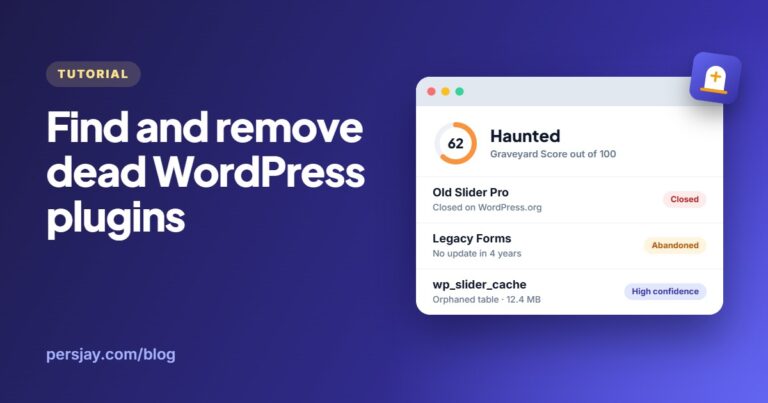
How to Find and Safely Remove Dead WordPress Plugins (and the Tables They Leave Behind)
Closed, abandoned and inactive plugins, plus the database tables they leave behind: how to find them all and clean up safely, by hand or with a free Graveyard scan.
Read article